Loop 3.10.0 was released on 10 January 2026
These exciting updates:
- Include Live Activity Feature and Upload Dexcom Readings to Nightscout (no need for those customizations)
- Add support for 15-day G7 Sensors
- Reduce unnecessary storage in Loop Data & Documents; can reduce size used on the phone
- Improve OmniBLE (DASH pod) and OmniKit (Eros pod) repositories
- Add CAGE and IAGE to pump settings view for Medtronic Loopers
- Improve messages for Browser Build and update to fastlane 2.230.0
- Add translations from community volunteers
You can see the complete list here.
Mac-Xcode Builders should follow the detailed instructions in LoopDocs; new Browser Builders should follow these detailed instructions in LoopDocs. If you need to update your Browser Build, there are some one-time build steps that are required when you migrate to Loop 3.10.0:
- May need to modify Customizations
- Build (and Enable Build Workflow, if required)
Modify Customizations
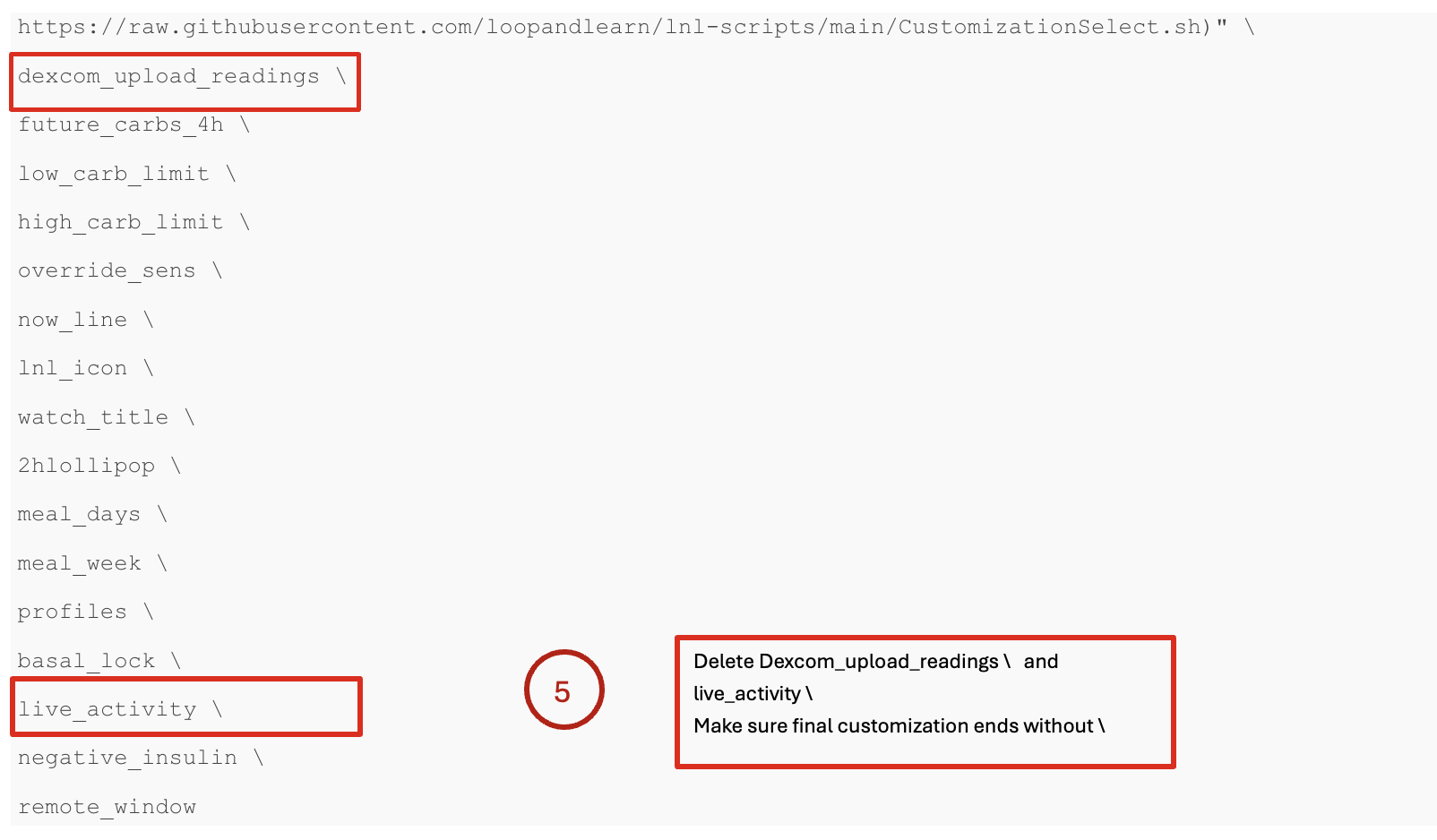
Applies only to Browser Builders who have customized with: dexcom_upload_readings and live_activity.
Find your LoopWorkspace repository in GitHub
- The URL you see should be similar to the one below (for your username)
https://github.com/username/LoopWorkspace/blob/main/.github/workflows/build_loop.yml
- Click Code.
- Choose github/workflows.
- Choose build_loop.yml
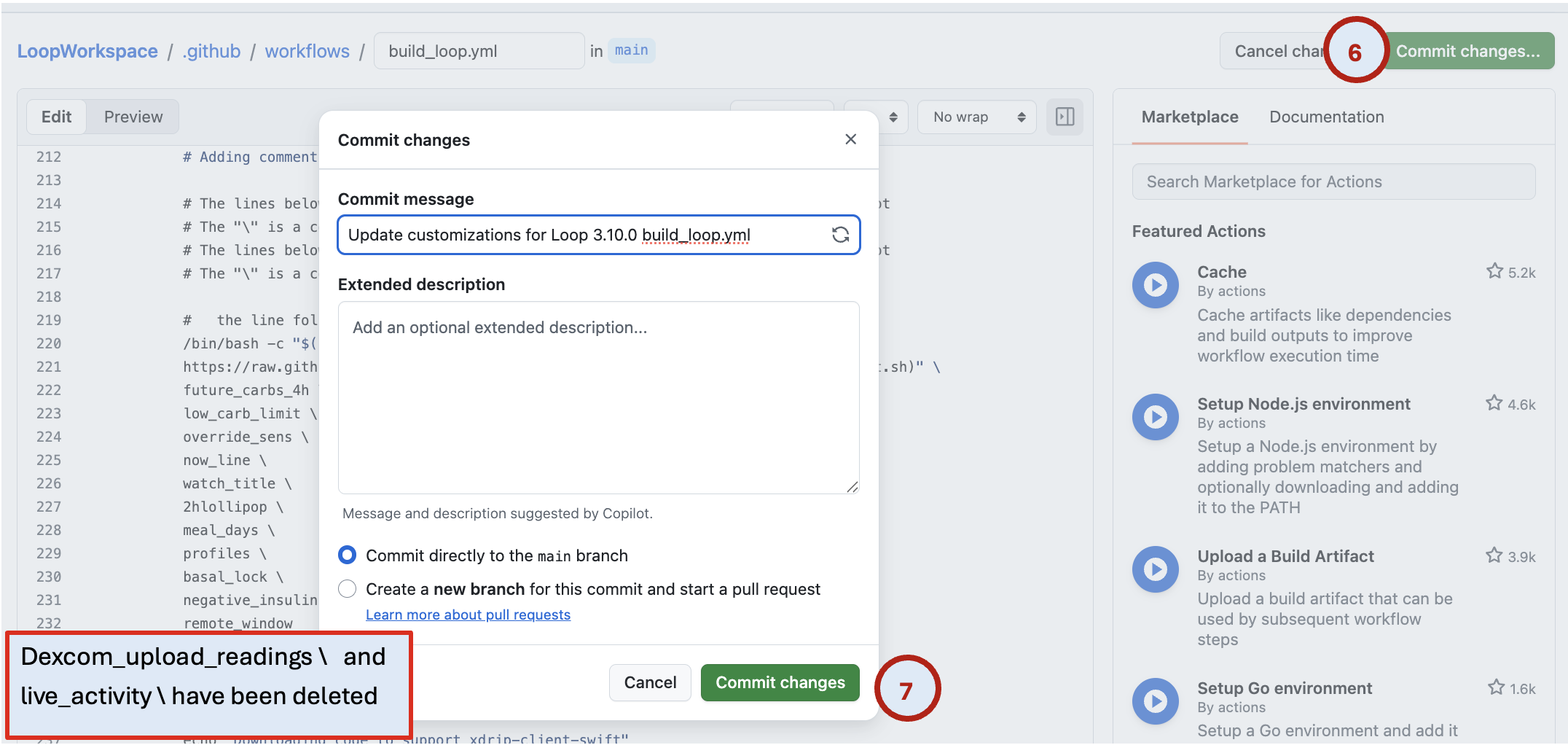
- Click the pencil icon.
- Scroll to your customizations
- Locate your customizations around line 219
- Delete these customizations (they’ve been added to Loop 3.8, so the customizations are no longer necessary):
- dexcom_upload_readings
- live_activity
- Make sure that your final customization does not end with
- Detailed instructions to edit customizations can be found here
- Commit Changes.
- Commit directly to your branch.


Build
- Go to
https://github.com/username/repository_name/actions
Copy and paste the link above into your browser tab’s URL, but substitute your GitHub username for username and your repository name for repository_name, (for example, LoopWorkspace, LoopFollow, LoopCaregiver or Trio).
- Build (see Steps 2-5 in image below)
- If your Build workflow is disabled, you will see the Disabled notation below and will need to enable the workflow.
- If your Build workflow is not disabled, you will not see step 3.

Need Help?
Please don’t struggle. Don’t delete your repositories, variable, or anything else. Post on Facebook with your GitHub username or organization and someone will help you troubleshoot.